
Verkada Cameras Troubleshooting 2024
Packet Captures – Wireshark
Verkada Support’s tool of choice for getting packet captures is Wireshark. Wireshark is an open-source packet capture/analyzer program. We will be using it to create a .pcap file that can be sent to the Verkada Support team.
1.Download and Install Wireshark.
2.Open up Wireshark and select the interface that your PoE injector is connected to. In my setup, USB 10/100/1000 LAN: en12 is where my Poe injector’s IN cable is connected. This will allow us to capture and see the traffic passing to and from the camera.
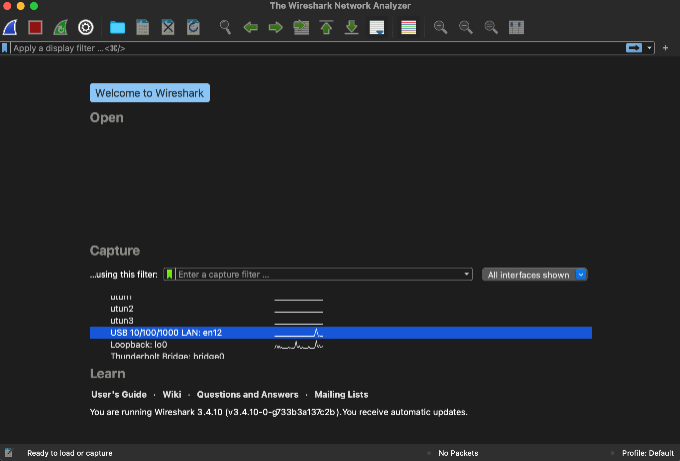
3.When you are ready select the shark fin. This will start the packet capture.
4.Plug in the camera to the OUT port of your PoE injector. Only after you start the packet capture plug in the camera. You will see the packets start to flow. (This could take a few moments as the camera needs to go through the boot process.)
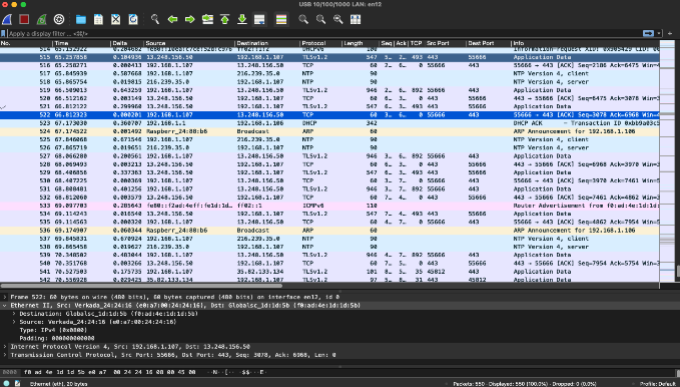
5.Wait five minutes or until the camera’s LED status light turns solid blue and select the stop button (red square).
6.Save the file and send it to your friendly Verkada Support Agent!
Note: If your camera was not connecting on your core network but successfully connects to Command using your mobile setup, this tells us that the issue lies somewhere on the core network.
Loss of Network Connection for Cameras
Loss of Network Connection for Cameras
Learn about how cameras continue to record even when there is no internet connection
Updated over a week ago
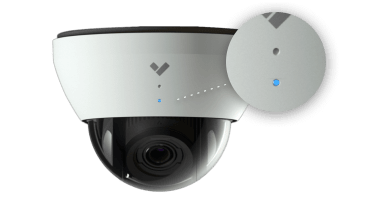
Verkada cameras continue to record and save the video without a network connection as long as there is a power source. You can be assured the camera is recording as long as long as the device’s LED is blinking blue in any pattern, whether exclusively blue or blue with 1 to 8 orange blinks in between.
If you only see orange blinks (and no blue), your camera is likely not recording. The assumption is that it’s likely upgrading, which involves a reboot. During that reboot, the camera cannot record.
Learn more about the different LED status colors.
Check your network configuration
If your camera continues to blink blue and you have internet access onsite, check to make sure your network meets our required network configuration.
Once the camera is reconnected, it begins to sync its footage from the outage and may take some time before that video is accessible.
Fix a Non-Loading Embed
Fix a Non-Loading Embed
Learn how to troubleshoot a non-working embed
Updated over a week ago
When a user loads a webpage that contains a Verkada-embedded live stream, the page loads the URL of the embed in an iframe.
Note: The inline frame (iframe) appears as a black screen if the referring website doesn’t match the domain name specified when the embed was created.
Resolve embeds that don’t load
Find the referring website
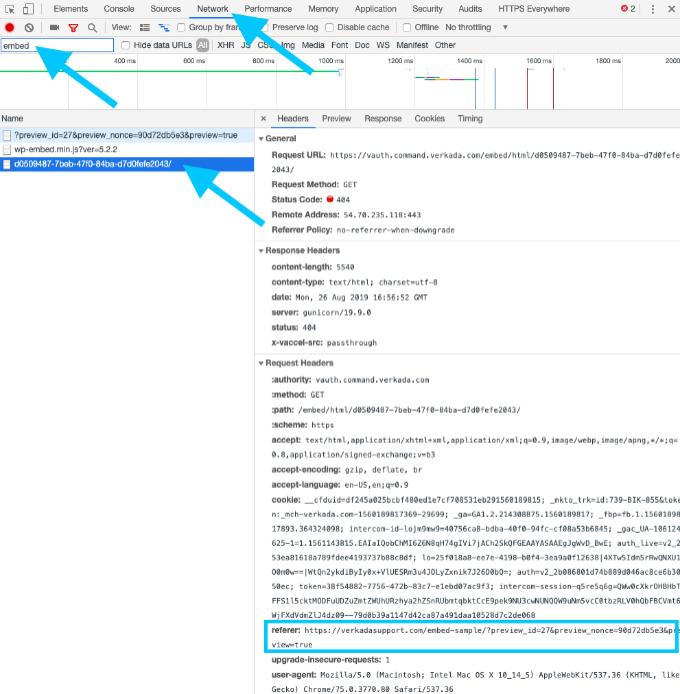
1.On the webpage where you placed the embed, right-click your browser and select Inspect. This will be a black screen because the embed will not load.
2.At the top, click Network.
3.In the search/filter bar, type embed (filter for embed-related requests).
4.Click the request with the alphanumeric ID, which should have a similar format to the example shown below.
5.Under the Request Headers section, find the Referrer URL. This is the URL/domain you need to put into Verkada Command. (You only need up until the top-level domain, such as .com. In the example, the referring domain is verkadasupport.com.)
Note: If you don’t immediately see the embed.html, click Refresh to reload the page.
Re-create the embed using the correct domain name
1.In Verkada Command, go to All Products > Cameras .
.
 .
.2.Select the camera and click Share.
 .
.3.Select More options > click Embed Code and enter in your referrer domain.
4.Click Embed Link.
Place new embed on your website
1.Copy the new embed link you just created in the previous procedure.
2.Go to your site’s Admin portal.
3.Paste the HTML embed iframe where you want the embed to live on your site.
4.Save and open the site and ensure it works.
You may also like
About the author
M.Salih ASLAN
Hello, I live in Salih Turkey. I serve in dvr, nvr, security and surveillance industry. Write to me for any comments and suggestions ..
Add Comment