


How to Record Dash Cam and Deleted Footage, Dash cams are increasingly becoming popular among drivers. They are small and very powerful devices built to protect drivers on the road. However, many people do not know how they work and it is amazing that you are interested in learning the tricks.
In this article, we dive deeper to bring you the full detail on the functionality of dash cams and how they enhance driver safety while on the road. If you are interested in understanding more about how to recover Tesla dashcam footage where such footage is lost, hit the link. Otherwise, stay on this article to the bottom to get a holistic understanding about dash cams.
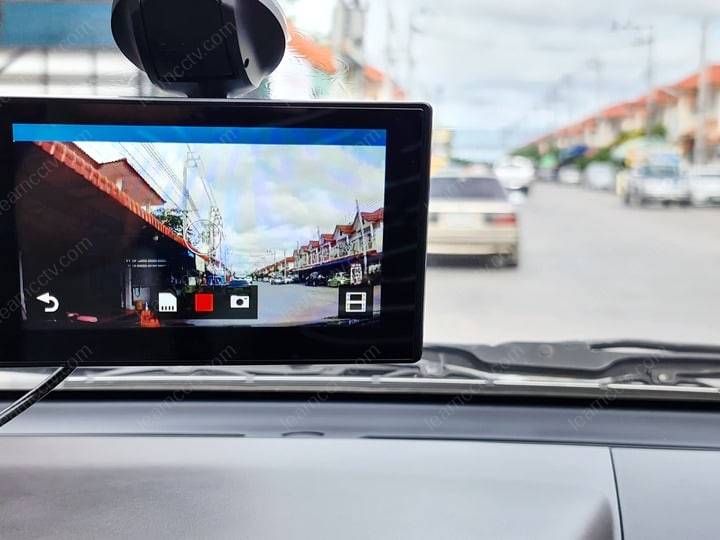
Before we look at how dash cams save recordings, we will show you a few details beginning with some explanations on what dash cams really are.
How to Record Dash Cam and Deleted Footage
What is a Dash Cam?
These are small cameras that are mounted on vehicle dashboards. The cameras record the view out of the vehicle windshield while driving. The camera can also be used to record scenic drives including accidents. They therefore come in handy for drivers especially when insurance claims or legal disputes require evidence.
The cams are available in different shapes and sizes. While others offer additional features such as GPS tracking, WiFi connectivity, night vision, and motion detection, others simply offer video recording. In addition, most of these driving cams include loop recording, a feature that allows continuous recording over the oldest recordings. This makes it easier to capture new recordings and you will always have up-to-date recordings of your driving history.
Types of Dash Cams
There are two main types of dash cams – single-lens and dual-lens dash cams. Like the name suggests, single-lens cams have one lens while dual-lens cams have two.
Some dash cam models feature infrared night vision capabilities, while others come with g-sensor technology or motion detection. These are crucial features and come in very handy when unexpected events occur on the road and you need to remember or show evidence.
Regardless of the type of dash cam you choose, drivers should ensure they have a cam that is very compatible with the car’s system. Sometimes, checking customer feedback and reviews helps drivers make the right decision about the camera model to choose.
Components of a Dash Cam
Dash cams consist of a camera, a processor, image sensor, power source, and storage. The camera records video footage and contains an image sensor for translating light into data signals for interpretation by the processor.
The processor therefore converts the light signals into usable images. The images are then stored in the cam’s memory. The camera memories or memory cards are also designed in a way that you can easily recover dashcam in case of footage loss.
How Do Dash Cameras Save Recordings
Dash cams record videos of all road events indiscriminately. No matter the type, the cameras feature a wide-angle lens with more than 1400 capability so that they are able to cover and record larger areas.
They are usually powered by an internal capacitor battery or a rechargeable battery. The battery gets powered when the vehicle engine is running. This happens through a USB outlet or cigarette lighter outlet which supplies power from the car battery to the cam’s rechargeable battery.
With the continuous charging, dash cams do not stay without power and are therefore able to keep recording events on the road. The footage is saved directly in the camera’s memory or memory card.
Like any other cameras, drivers are in a position to transfer dash cam recordings to other storage devices such as laptops or even phones. This also helps with video backups and you will be able to easily recover deleted videos. Also, with the recordings at your disposal, you can review them at the end of every journey or at your convenience to get a better view of your driving experience. These will also help you if there is a road event that you really want to review in order to make a decision to improve your driving experience for the next journey.
Parking Mode Functionality
Parking mode is a crucial dash cam feature that every modern dash cam should not miss. This feature allows dash cams to turn on automatically and record whenever it detects a vibration or any form of impact at the instance when the vehicle is parked. Also, it helps in capturing activities that may appear suspicious around the vehicle while you are out of the scene. In addition, motion detection features help to capture movements near the vehicle.
Dash Cam Maintenance and Upkeep
As you may have just noticed that dash cams are feature rich, they require constant care to avoid damages and to ensure they continue functioning as intended. The camera lenses must be kept clean and angles well adjusted to give the best view possible at all times. Drivers should also ensure that dash cam firmware is updated regularly.
Also, the camera memory card should be checked on a regular basis and where necessary changed. This is because the memory cards have finite lifespan and can get corrupted or damaged after long- or short-term use. Similarly, keep inspecting the camera mount for signs or wear and tear and replace where necessary.
FAQs
Can a Dash Cam Be Used to Dispute a Traffic Ticket?
Generally, dash cams are very effective against traffic disputes. Some of the ways you can use a dash cam to dispute a traffic ticket include:
How Long Does a Dash Cam Record?
Generally, how long a dash cam records depends on the model and make of the camera. Most cameras can hold between 32GB and 256Gb of video recording. Other factors may however affect the recording time. Some of these factors include video resolution and bitrate. On average, they will record up to 48 hours before the loop record begins.
Can I Recover Deleted Dash Cam Footage?
Recovering deleted dash cam footage is easy. With versatile data recovery software such as Disk Drill, you will quickly and safely recover all lost video footage. Simply download and install Disk Drill on your computer, connect the camera memory card or dash cam itself to the PC and run disk scan to recover lost videos. The software also helps recover videos deleted from Mac and Windows computers, which is why you can easily use it to recover dash cams with the assistance of a PC.
How to Recover Deleted Files from a Dash Cam
Dash cams are very handy when it comes to recording road events. That is why it is now very common among many drivers. With the available types and models, you can easily choose suitable dash cams depending on your preferences.
However, like any other camera, they also require special attention and care to protect them from tear and wear. More importantly, you should protect them against data loss. Imagine getting yourself in an accident and you really need the video footage to defend an insurance claim only to be met with an error message – the video is nowhere to be found!
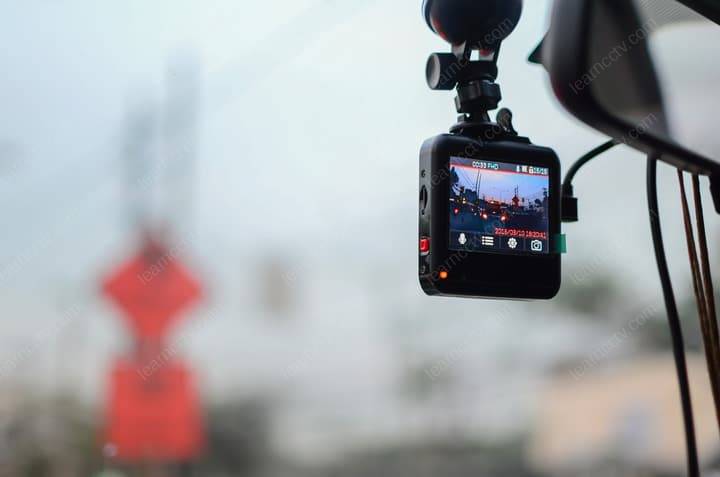
You don’t want to be part of this nightmare with lost dash cam footage. Although the process can be so complicated, the good news is that in many cases you will be able to recover deleted footage from dash cams.
We have prepared this guide to walk you through the process of recovering deleted dash cam files. We will make the process very simple and straightforward so that you have only a short time to comprehend and implement. You can also read about formatting SD card without losing your data here. Otherwise, read on to understand how to recover files from a dashcam and secure them.
How Do Dash Cams Store Footage?
Before attempting to recover deleted dash cam footage, it is important to first understand how they store video footage.
Generally, dash cams store video footage on microSD cards. The camera saves footages in a loop. This means that when the card is full, it overwrites older footage. Note that dash cams do not store footage the same way computers or phones store them.
Here, the files are split into smaller segments and the cam may store metadata separately from the video itself. This way, it may be very difficult to recover footage when lost due to any reason. This information is very crucial so that you know dash cam footage requires special care to avoid loss by whatever reason.
What Causes Lost Footage?
You might be asking yourself now – what causes lost footage? Ideally, other than accidental deletion, there are several other reasons that may lead to lost footage from dash cam. Some of these include:
Identifying the Type of Loss
Before you can begin any recovery process, it is advisable that you assess and identify the type of loss. It could be a loss caused by accidental deletion or disk corruption or other.
File corruption majorly occurs when your files are damaged or corrupted. Some of the factors that could contribute to disk corruption include a malfunctioning device or a power outage. Data recovery from such cases becomes very difficult but can still be executed using specialized data recovery software. Gross cases will require the services of a professional data recovery expert.
In this article, we focus on showing you how to recover deleted files. Accidental deletion happens when you unintentionally delete a file. There are higher chances of recovering deleted files but one must act swiftly and not wait for too long.
How to Recover Deleted Files from a Dash Cam
Method 1: Recover with In-Built Dash Cam Tools
Today, many dash cams are built with intuitive tools that support data recovery. You can easily use these tools to recover lost footage.
Look at the manual that came with your dash cam to find out if this feature is available. In some dash cams, there is an in-built file lock function. It protects important files from file overwrite or deletion making it easier to recover them. Simply unlock the file to recover lost footage.
Method 2: Recover with Software
Dash cam data recovery is also possible with data recovery software. If your cam did not come with in-built tools, try a good data recovery software. However, although there are many options available on the internet, you can only trust a few to do what they say they can do. Disk Drill is one of the best memory card recovery tool to try. With this tool, you will get quicker results and you can be sure to have the best recovery rate.
How to use it? Download and install the software on PC. Connect the dash cam or memory card to the PC. Launch the memory card recovery software and run disk scan. You will also get a preview of all your search results and can pause, continue or stop the search process midway as long as you have found what you are looking for.
Method 3: Recover with Professional Recovery services
There’s no way you are going to use Disk Drill and not get your files back. However, since you may be dealing with very crucial footage and do not want to gamble with lost videos as they can be standing in between you and a court case or even an insurance claim, we may recommend seeking professional services.
While these services can be very expensive, in some cases there is no guarantee of footage recovery either. But they are worth trying.
Whichever method you prefer to use, we recommend that you must act quickly. Do not wait too long after your footage is accidentally deleted. This is the only way you will increase the chances of your recovery.
How to Prevent Future Loss of Dash Cam Files
It is essential to regularly maintain your cam to ensure it always functions properly. You can also keep footage backups in safe storage areas just in case you lose them by accident from the dash cam. Below are some of the additional preventive measures:
Add Comment